English
Where you actually play piano
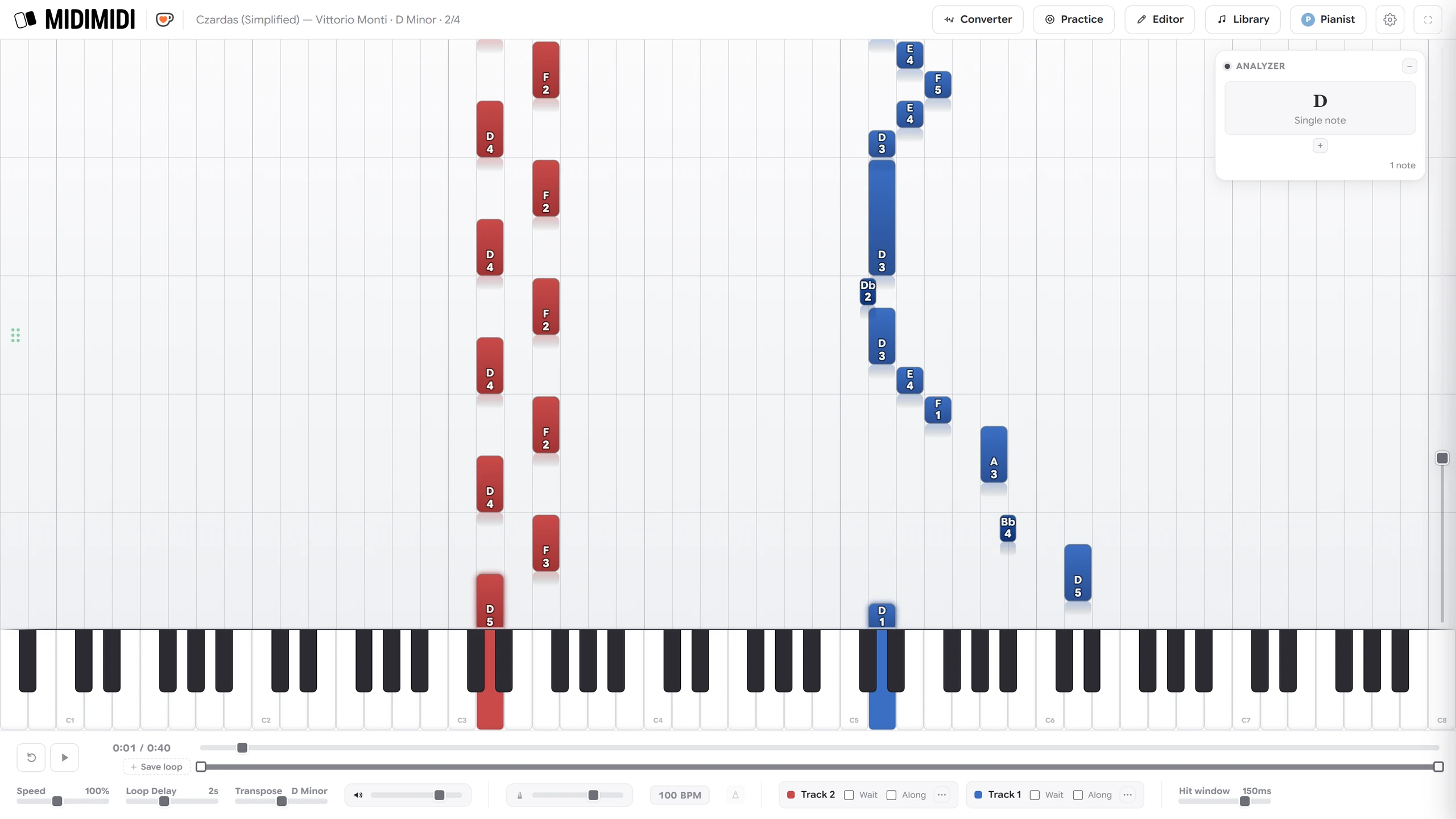
Start with any MIDI file
Drag in any .mid file. Or drag in an MP3 of solo piano and MIDIMIDI transcribes it into notes you can practise. It happens in your browser; your audio is never uploaded.
Practise it the way you need to
Once a piece is loaded, it bends to how you want to work on it.
- Fingering is worked out for you. Every note carries a suggested finger, 1 to 5, on the falling note itself. Override any of it, or reset to automatic.
- One hand at a time. Mute or hide either hand.
- Slow it down, then speed it back up as you improve.
- Loop a section and play it over until it works.
- Transpose into an easier key, if it is still too hard.
Set a track to Wait and the music holds until you play the right note. Set it to Play-Along and it keeps strict time and scores everything.
See exactly how you played
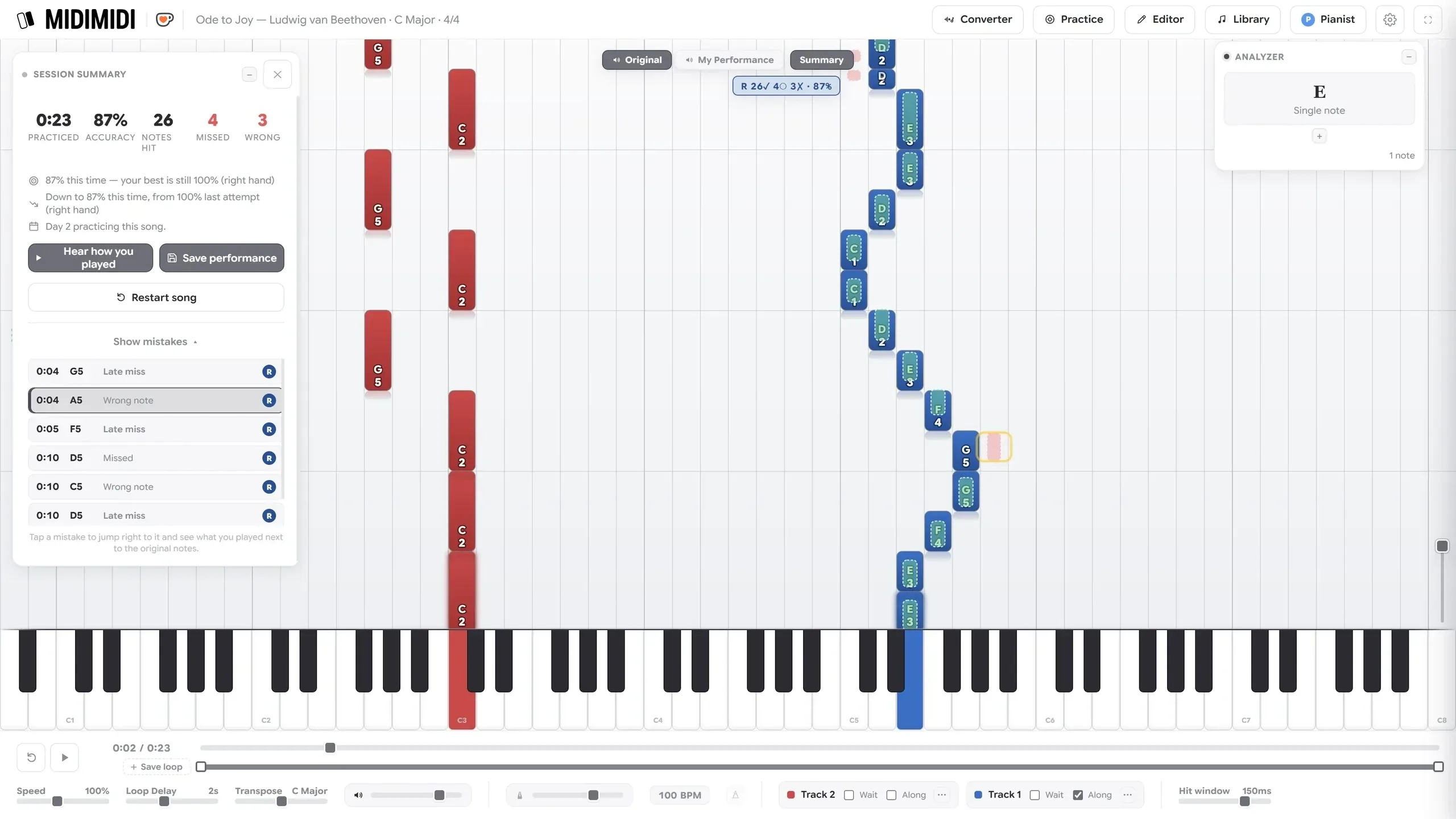
MIDIMIDI counts your mistakes separately — missed, wrong, and late — and scores each hand on its own. Tap any mistake in the list to jump straight to that moment.
You can play back what you just performed, and download it as a MIDI file or a .wav. It keeps the record too: practice time, accuracy per piece and per hand, and day streaks.
Know what you are playing
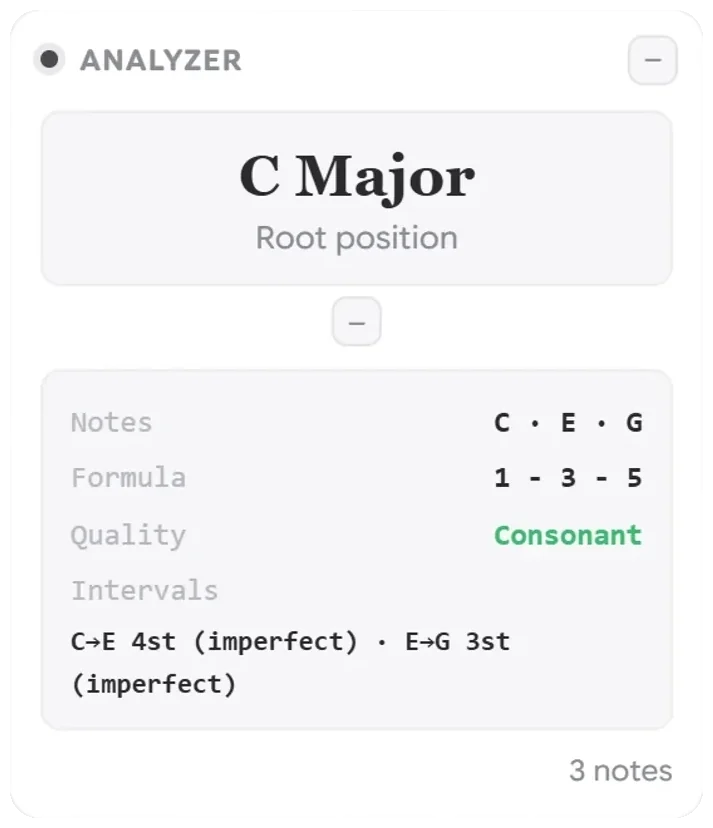
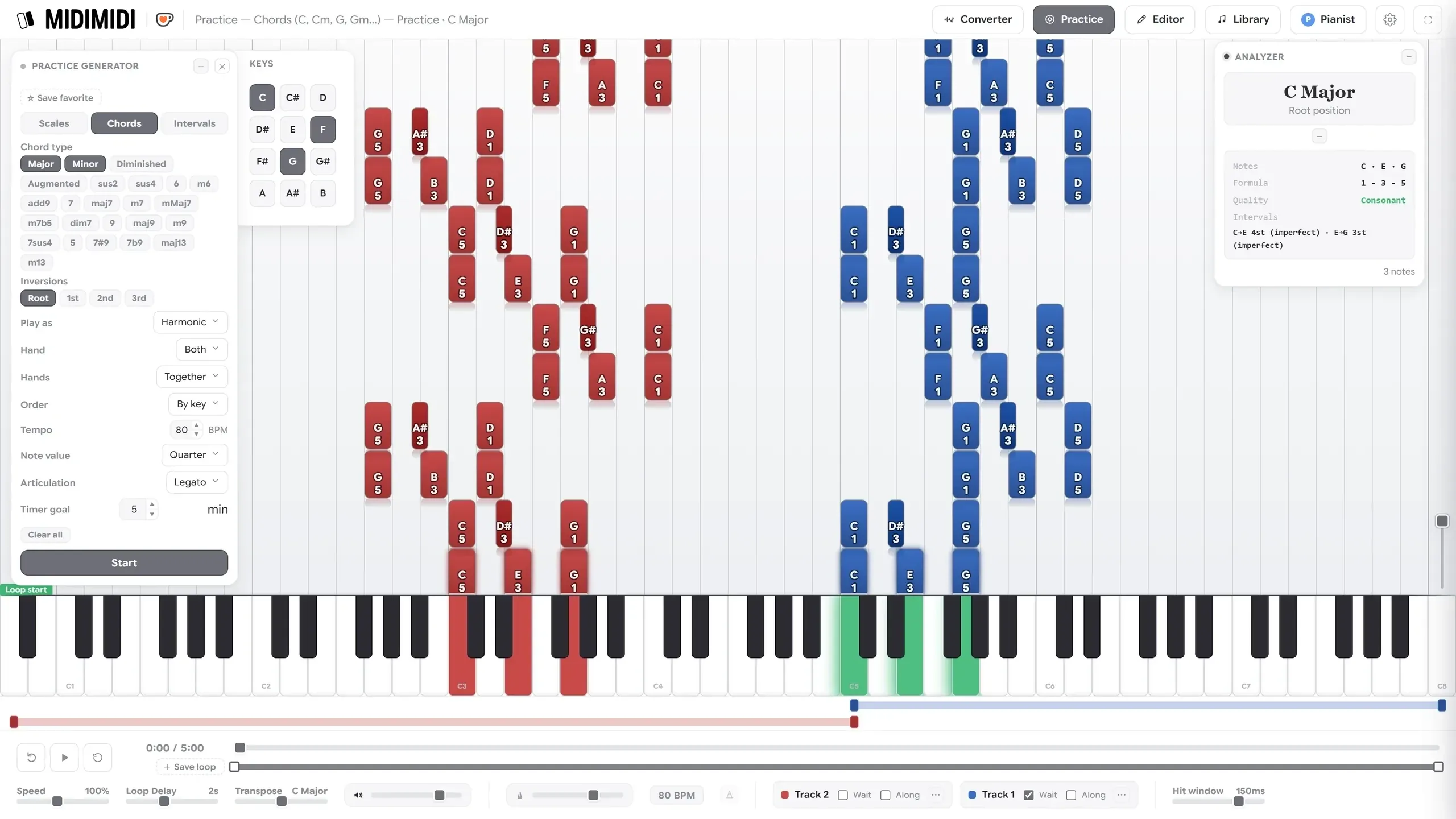
The Analyzer names what is sounding as it sounds: chord, inversion, formula, and the intervals inside it — from your own playing or from the song.
Build a library, and a progression
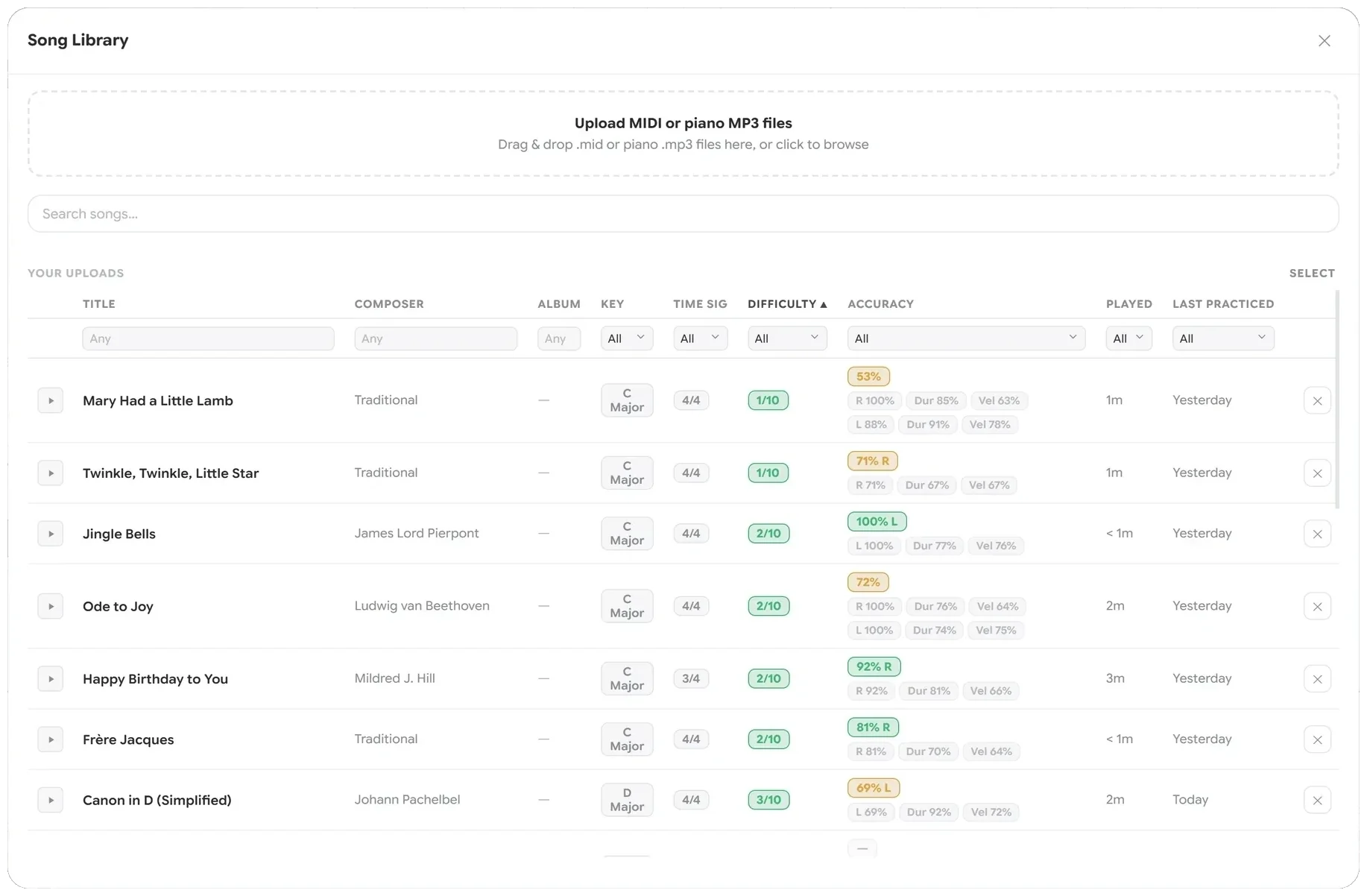
Every song you load gets a difficulty rating out of ten. Sort by it and you have a progression rather than a pile, with your accuracy tracked on each piece.
Build the technique underneath
Pieces are not the only thing you can practise. Scales in any key — major, minor in all three forms, pentatonic, blues, modes, chromatic. Chords by type and inversion. Intervals by number or quality.
Then pick the tempo, time signature and rhythm, and play them blocked or broken, hands together or apart. The Analyzer names these as you play them too.
Change the music itself
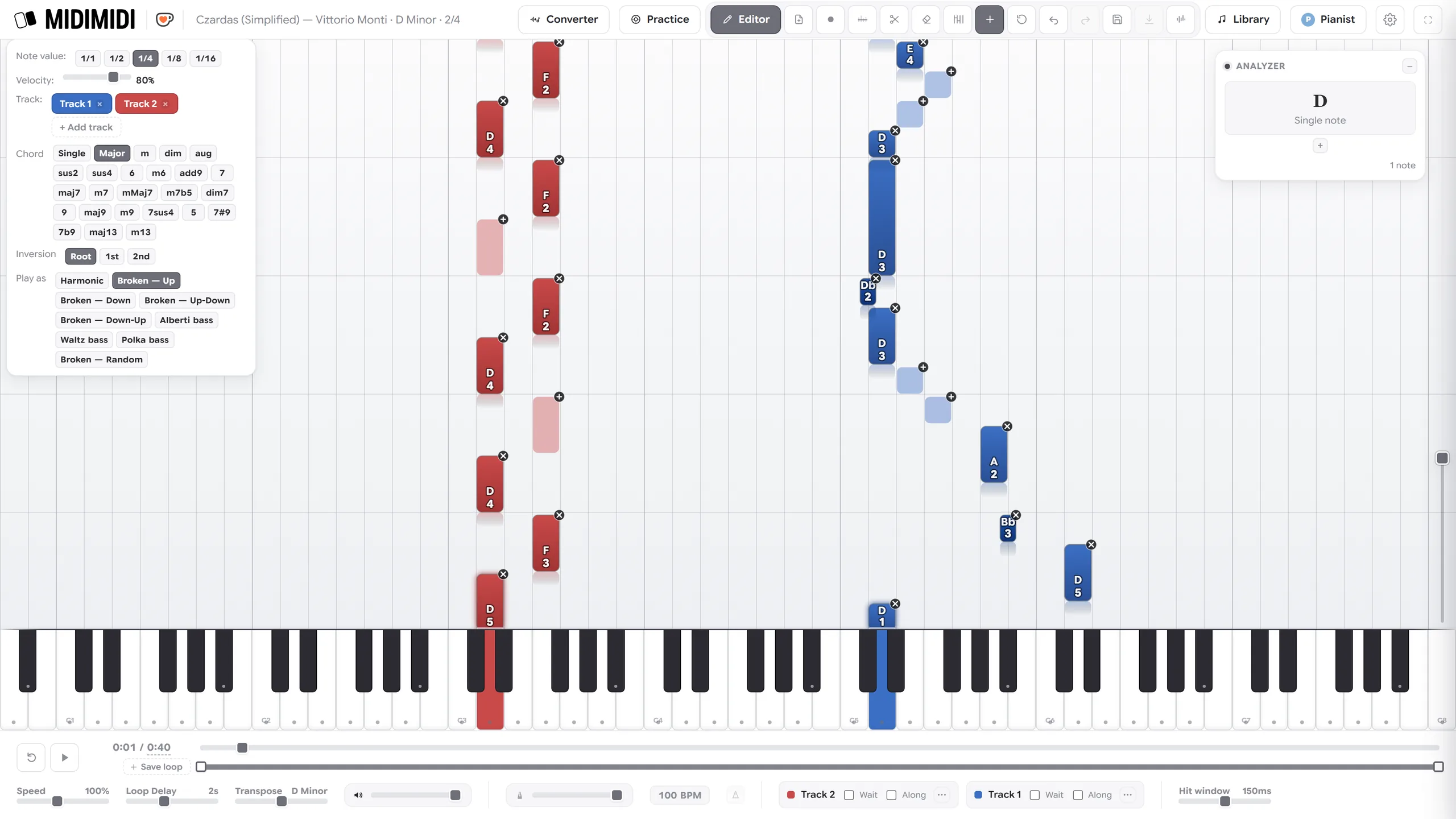
If the file is wrong, fix it. Draw notes or whole chords, change a note's length, velocity or hand, set fingering, or record your own performance into a track.
Your work stays on your device
There is no account and no user database. Your songs, recordings and practice history live in your own browser. Export a backup of anything you would hate to lose.
What it costs
Nothing. No subscription, no trial, no card. If it is useful to you and you would like to help
cover the hosting, there is a
 Ko-fi page.